CMMS for Government

Public places.
Visible work.
Shared responsibility.

Public buildings share a facilities team, but each has different equipment and repair needs. HeadCount organizes requests, preventive maintenance, safety inspections, and work records by building and location.

See the workflow
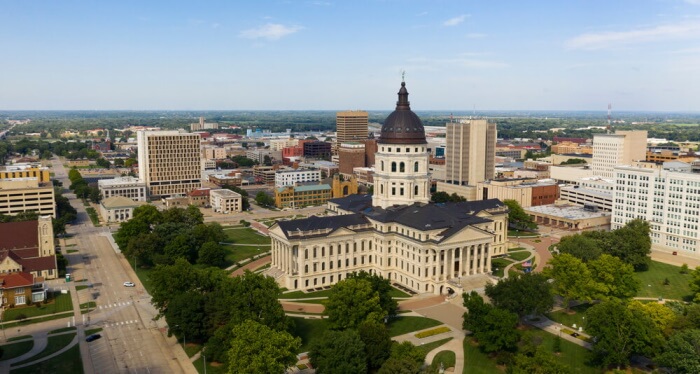
Government building with American flag
HeadCount / government

Public library / Staff report

Entrance door sticks.

Keep the issue connected to the entrance people use every day.

Request #218 · Received

Public library / Entrance

Keep public places welcoming.

01

Put each request on the map

Give your team the building, room, and equipment details for each job, including repairs to the accessible features people rely on.

In practiceA library entrance, courthouse restroom, or community-center HVAC unit.

Facilities & locations
02

Schedule the recurring work

Plan preventive maintenance and building-safety inspections, with an assignment and checklist for each task.

In practiceHVAC service, fire-system inspections, and emergency-light checks.

Inspections & follow-up
03

Prepare records for review

Use inspection reports and completed work records to show what was checked, where issues were found, and what was corrected.

In practiceBuilding inspection results for an audit or departmental review.

Reports & documentation

02 / Public-building maintenance

A library entrance needs work.
Follow it through to repair.

Find the library, open its door-hardware request, and assign building services. The activity history keeps the request, assignment, and documented repair together.

Explore work orders
  1. Find the building
  2. Open the work
  3. Review the trail

Public-building requirements, with a record of the work.

Fire safety

Inspections & corrective work

Organize checks around applicable NFPA requirements. Keep findings and repairs with the building and equipment involved.

Accessible features

ADA-related maintenance

Record issues with accessible entrances, doors, and restrooms, then assign repairs and document what was done.

Emergency systems

Power, lighting & equipment

Schedule generator service and emergency-light checks, with completed maintenance records available for review.

Agency reports

Building, equipment & inspection cycle

Retrieve inspection reports and export your agency’s completed forms as PDFs for departmental or local inspection reviews.

Government building with American flag

The places behind the work

Government

03 / More than one job

Different buildings.
One facilities team.

Keep a separate record of each building’s equipment, requests, inspections, and repairs. Tailor forms for accessibility and safety checks, then use the completed records for departmental reviews and inspection documentation.

  • Libraries · Accessible entrances and door repairs
  • Civic buildings · HVAC and emergency-power records
  • Community centers · Fire-safety checks and corrective work
Explore facility & asset records

04 / A few practical questions

Let’s get into
the details.

Can we organize work across departments?

HeadCount supports facilities, work assignments, and equipment records across multiple locations. We can walk through a structure that fits your teams.

Can vendors be assigned work?

Work orders support assignments to technicians, teams, administrators, and vendors.

Can reports match our agency’s review process?

Use inspection reports by building, equipment type, and cycle, plus configurable forms for your agency’s checks. Keep records of repairs to Americans with Disabilities Act (ADA) accessibility features and work supporting applicable National Fire Protection Association (NFPA) codes. Your team defines the requirements for each facility.

Built around your team

Put the work behind public service in view.